


Spades: Classic Card Games
4.716.06K Reviews
App Specs
- Version
- 2.9.2.6324
- Updated On
- License
- Free
- Downloads
- 10,000,000+
- Developer
- MobilityWare
- Categories
- Card
- Platform
- Android, iOS
Screenshots
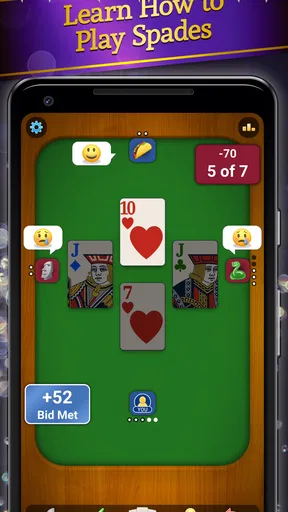
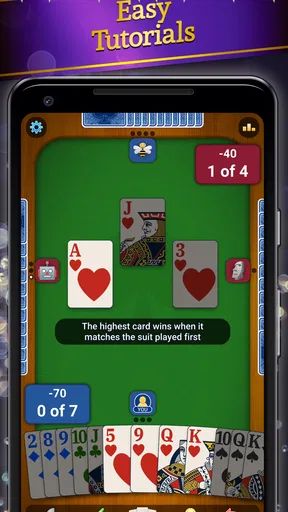

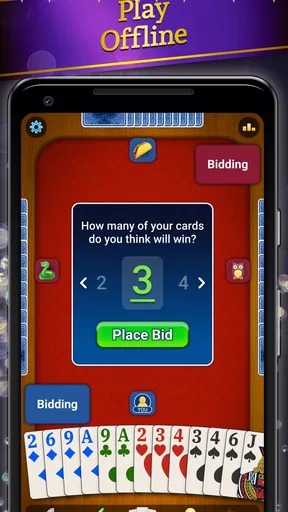
 Analysis by AppCompare
At our house, a card game often starts as something to do while waiting for dinner and turns into a friendly argument about who should have bid higher. That is the kind of casual, competitive mood I associate with Spades: Classic Card Games. It brings the familiar trick-taking game to a phone, making it easy to fit a hand into a quiet break without needing a deck or four people around the table. I like that convenience, though a screen changes some of the social feel of playing in person.
Why it works for a shared household
Spades suits short sessions and repeat visits: you can play when you have a few spare minutes, then return when the mood strikes. In a shared-device situation, that can make the game a handy option for passing a phone around or letting one person play while others watch and comment. I would treat that as informal turn-taking rather than assume the app provides separate household profiles or shared progress tools. If more than one person uses the same device, it is sensible to check whose game or account is active before starting a multiplayer session.
The main appeal is the game itself. Players bid on how many tricks they expect to take, then try to make that contract with a partner. That means a round asks for more than luck: you need to judge your hand, follow the play, and adjust when the cards fall differently than expected. New players can focus on learning the rhythm of bidding and trick-taking, while experienced players may enjoy the small decisions that accumulate across a hand. It is a better fit for someone who likes thinking through a round than for someone seeking a fast, reflex-heavy game.
Keeping play comfortable and coordinated
If friends or relatives are playing together, agreeing on a few basics before a match can prevent avoidable confusion. Decide whether you are playing casually or treating every bid as a serious challenge, and make sure everyone understands how the current game handles invitations and online play before involving people who are not in the room. Multiplayer can connect players beyond a household, so I would not treat a shared screen as automatically private simply because the phone belongs to the family.
For a low-pressure routine, I would start with solo play and use a round to help a newcomer understand the flow before moving into a social match. That also gives a player time to get used to the interface without feeling rushed by a partner. If a game is interrupted, it is worth checking what is happening on screen before handing the device to someone else; a live match is not the same as a paused board game laid out on a table. This is a small practical habit, but it makes shared use less awkward.
Age, expectations, and trust
The game is rated Everyone, which makes its card-game theme broadly approachable for household play. That rating is not a substitute for deciding whether online interaction is suitable for a particular child, especially when multiplayer chat is part of the experience. I would explain that chat is communication with other players, keep expectations age-appropriate, and make a family decision about whether to use it. The game’s simple presentation may feel welcoming, but a familiar card game and an online community are two different parts of the experience.
There is also a practical distinction between a free download and optional spending. The game is free to play, while in-app purchases are available, with listed item prices ranging from $4.99 to $29.99. On a device used by several people, I would make sure everyone knows who is allowed to approve purchases and check the device’s purchase settings rather than assume the game itself will manage household boundaries. That is useful for any shared phone, not a reason to avoid the game altogether.
Worth Reading Before You Choose

EA SPORTS FC Mobile 26 Is a Bigger Football Game, but It Takes Time

Flipboard Shows What News Apps Must Do Beyond the Feed

Switching to Android Auto Means Rethinking Your Driving Routine

Google Calendar Makes a Crowded Week Easier to Manage

Ludo King Makes the Most of the Minutes Between Plans

Baby Panda World Brings Quick Play to Modern Phones, but Its Game Library Feels Busy
Gameplay and Features
From the moment you launch the app, the interface welcomes you with a clean, intuitive design. I found it easy to navigate, and I appreciate that there isn’t a steep learning curve. The game offers various modes, from solo play against AI to multiplayer options where you can challenge friends or other players online. This flexibility is perfect for those moments when you want to play a quick round or dive into a more intense session.
One feature I absolutely love is the customizable difficulty levels. You can set the AI from beginner to expert, which provides a great way to hone your skills. Plus, the multiplayer mode is seamless, with matches starting quickly without any noticeable lag. It's all about playing the way you want, and Spades: Classic Card Games delivers on that front.
Visuals and Sound
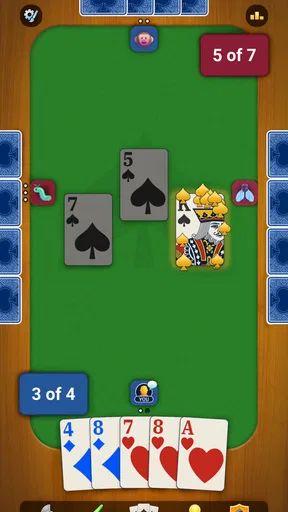
The visuals are straightforward but pleasing. The card designs are clear, and the animations are smooth, enhancing the gameplay without unnecessary distractions. The sound effects are subtle and add a nice touch of realism, though if you're like me and prefer a quieter ambiance, you can easily switch them off in the settings.
Community and Interaction
One of the standout aspects is the community. With a global player base, you can always find someone to play with. The chat feature during multiplayer games is a nice touch, allowing for some friendly banter or strategic discussions. I’ve made a few gaming buddies along the way, which adds another layer of enjoyment to the experience.
I also appreciate the regular updates the developers provide. They seem to be on top of any bugs or issues, and they introduce new features and challenges frequently, keeping the game fresh and engaging.
Choosing it over other card games
Compared with solitaire, this is much more interactive: solitaire is a natural pick when you want a quiet puzzle that depends only on you, while Spades revolves around reading a hand, making a bid, and playing in partnership. Compared with a physical deck, the app is more convenient when nobody else is available, but it cannot reproduce the table talk, eye contact, or informal house rules that make an in-person game feel personal. I would choose this version for accessible practice or a quick online match, and choose a real deck when the company around the table matters more than convenience.
A useful way to get more from solo sessions is to treat the AI difficulty as a practice setting rather than a score to chase. Start at a level where you can follow the hand, then raise it once you can explain why a bid was sensible or risky. After a round, think back to whether you took the number of tricks you expected and what changed your plan. That kind of reflection makes each short session more useful than simply tapping through hands, especially for someone learning the game with a more experienced partner.
Who will enjoy it—and who may not
MobilityWare’s card game is a strong match for people who already know Spades, players who want a convenient way to practice, and friends who enjoy a little friendly competition from separate phones. It can also work for a newcomer who is willing to learn through play and does not mind making a few imperfect bids. The familiar rules give each hand a clear purpose, while the adjustable AI offers a way to make solo play more approachable or demanding.
I would steer away if you mainly want a solitary game with no social element, dislike making decisions under the pressure of a live match, or prefer card games with very short turns and little planning. Someone who wants a quiet solo pastime may be happier with solitaire; someone who values face-to-face interaction may prefer a physical deck. And if chat with other players is not appropriate for the people sharing a device, it is worth setting that boundary before choosing multiplayer rather than assuming the game is an offline-only activity.
What to expect before settling in
The app is free, with optional in-app purchases priced from $4.99 to $29.99 per item. I would think of the free experience as the sensible place to begin: play enough to decide whether the pace and style suit you before considering any purchase. The game was released on July 2, 2020, and its current version is 2.5.3.4613; it requires Android 8.0 or later. It has a 4.6 average from around 183,000 ratings, with about 14,000 written reviews and over 10 million installs. Those figures suggest it has reached a large audience, but they do not tell you whether its bidding style or multiplayer atmosphere will match your preferences.
One question I would ask before installing is whether the device can run it; the Android minimum is 8.0, while the game is also available on iOS. Another is whether I want to play with strangers or keep sessions to people I know. Since solo AI play is an option, you do not have to start socially, and you can decide whether multiplayer suits you later. If you are choosing it for someone else, I would also talk through the chat and purchase boundaries first, especially on a shared phone or tablet.
Final Thoughts
All in all, Spades: Classic Card Games is a fantastic app for anyone who enjoys card games. Its balance of simplicity and depth makes it accessible for newcomers while still challenging for veterans. The app’s commitment to quality and user engagement makes it a standout choice in the sea of mobile card games.
So, if you’re looking for a card game that’s both familiar and exciting, give Spades: Classic Card Games a try. You might just find yourself hooked!
A household verdict
For a shared household, I see this as a convenient way to bring Spades into spare moments, not as a replacement for a proper game night. It can help a newer player get comfortable, give experienced players a quick solo challenge, or connect friends who are not in the same room. The trade-offs are worth keeping in view: online play and chat change the privacy context, purchases need clear boundaries on a shared device, and a phone cannot provide the same social cues as sitting around a table.
MobilityWare’s game is free to try, broadly accessible in its age rating, and backed by a substantial player community. I would recommend it to households that enjoy trick-taking and are comfortable making their own decisions about chat, online play, and spending. If you want a private, strictly offline family activity or a game built around direct conversation, a physical deck is still the better choice. For everyone else, it is an easy way to fit a thoughtful card game into the gaps of an ordinary day.
Pros
- Smooth and intuitive gameplay mechanics.
- Variety of game modes to choose from.
- Engaging graphics and sound effects.
- Multiplayer option enhances social interaction.
- Regular updates with new features.
Cons
- In-app purchases can be pricey.
- Occasional ads disrupt gameplay.
- Requires constant internet connection.
- Limited customization options.
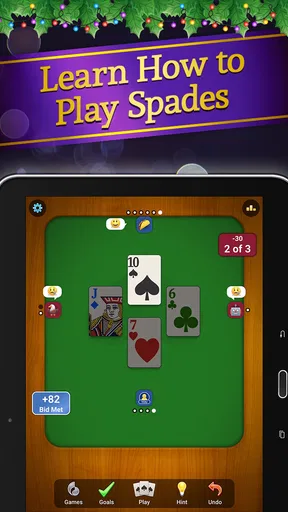
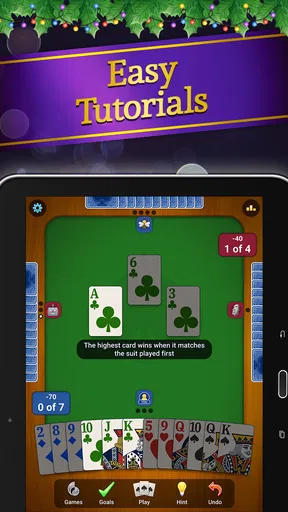
- Tutorials can be overly simplistic.
FAQs for Spades: Classic Card Games
What is Spades: Classic Card Games?
Spades: Classic Card Games is a digital version of the popular card game, Spades. It offers an engaging experience with both single-player and multiplayer modes. Players can enjoy classic rules or customize their gameplay with various settings. The app provides a user-friendly interface and vibrant graphics for an immersive gaming experience.
Is Spades: Classic Card Games free to play?
Yes, Spades: Classic Card Games is free to download and play. However, it may include in-app purchases for additional features, skins, or ad-free experiences. These purchases are optional, and players can enjoy the core game without spending any money. Always check the app store for the latest pricing details.
Can I play Spades: Classic Card Games offline?
Yes, the app allows you to play offline against AI opponents. This is perfect for those moments when you don't have internet access. However, to enjoy multiplayer features and compete with friends or other online players, an internet connection is required.
What are the system requirements for Spades: Classic Card Games?
Spades: Classic Card Games requires a device running at least Android 5.0 or iOS 10.0. It is optimized for both smartphones and tablets, ensuring a smooth gaming experience. Make sure your device has sufficient storage space and meets these requirements to enjoy the game without any interruptions.
How can I customize my gameplay in Spades: Classic Card Games?
The app offers various customization options to enhance your gaming experience. You can adjust the difficulty level of AI opponents, select different card designs, and choose from several game backgrounds. Additionally, players can modify scoring rules and team settings to suit their preferences, ensuring a personalized experience every time they play.


